End of Life, Not End of Risk: Privilege Escalation Through Forgotten Enterprise Infrastructure
There’s a particular kind of security failure that only happens at scale — and honestly? It’s worth sitting with that observation, because it fundamentally reshapes how you think about enterprise attack surface. Small companies make obvious mistakes — hardcoded credentials, no auth on the admin panel, that sort of thing. Large enterprises make subtler ones. The forgotten subdomain. The deprecated service nobody decommissioned. The repository from 2022 that quietly persists, unexamined, doing the heavy lifting of being a ticking clock. The blast radius of these mistakes compounds enormously precisely because the organization is too big to navigate every loose end.
This is one of those stories. I’ll call the company Xcorp to keep things private. The throughline: a holistic path from zero access to live internal credentials, through infrastructure so forgotten it had practically been abandoned.
Finding the Forgotten Door
Standard recon — Shodan, Censys, Netlas — surfaced something immediately interesting: a Zendesk instance at xcorp-deprec.zendesk.com. The subdomain prefix was the tell. It’s not their main support channel — it’s something they’d moved away from but never shut down. Still live, still answering requests, just… quietly forgotten. That prefix is load-bearing information. deprec is not naming convention — it’s an admission.

Logging in with a fresh account was trivially easy:
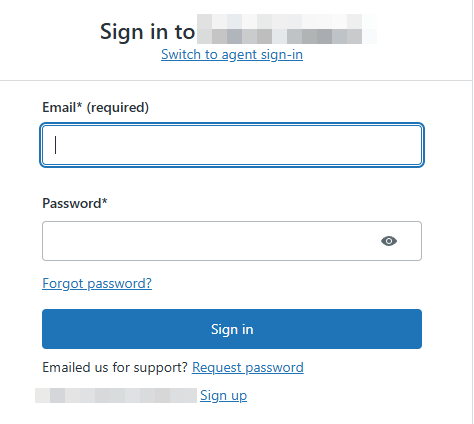
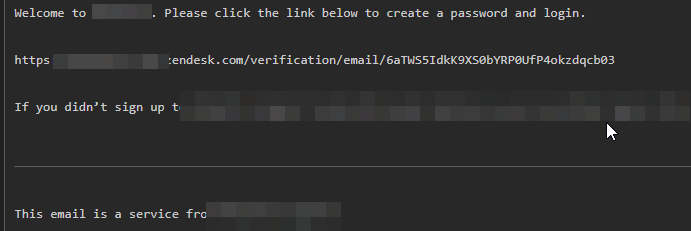
A basic account on a deprecated Zendesk doesn’t seem like much — and here’s where I want to double-click on the Zendesk placeholder feature, because it’s doing a lot of work here. Placeholders: a templating system that lets you embed dynamic ticket data in messages. Things like {{ ticket.requester.email }} or {{ ticket.ccs[0].name }}. These templates are processed server-side when a ticket is submitted.
What I keep coming back to is the right question: if you can control the content of a ticket and the server renders your template expressions, what can you query about users the ticket is CC’d to?

Submitting the ticket confirmed it:
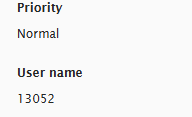
The templates were rendering. Here’s where it gets interesting.
Pivoting Through Support
The next step was navigating toward someone with actual access — a support agent. Elementary OSINT on Xcorp’s customer service team gave me a real name. Figuring out their email format took some trial and error across variations of the name against support.xcorp.com. Eventually j.doe1@support.xcorp.com hit:

By CC’ing that agent on a ticket and leveraging {{ ticket.ccs[0].custom_fields }}, I could extract their profile data. A short script to iterate over a list of known support agents built a small but comprehensive internal directory:
{
  "user": {
    "id": 4764782512964,
    "name": "[REDACTED]",
    "email": "[REDACTED]@support.[REDACTED]",
    "role": "agent"
  }
}
More pivotally: an internal agent note referenced gitlab.mgmt.[redacted] — their internal GitLab instance. It didn’t appear on any external scans, which meant it was either behind a VPN or using a non-standard port. But I had the domain name. And honestly? That’s all you need.
The Open Door in GitLab
A direct visit to https://gitlab.mgmt.[redacted]/users/sign_in loaded fine. Out of habit, I changed the path to /users/sign_up. It worked. Public registration was enabled on their internal GitLab. That’s not just a misconfiguration — it’s a paradigm shift in what “internal” means.
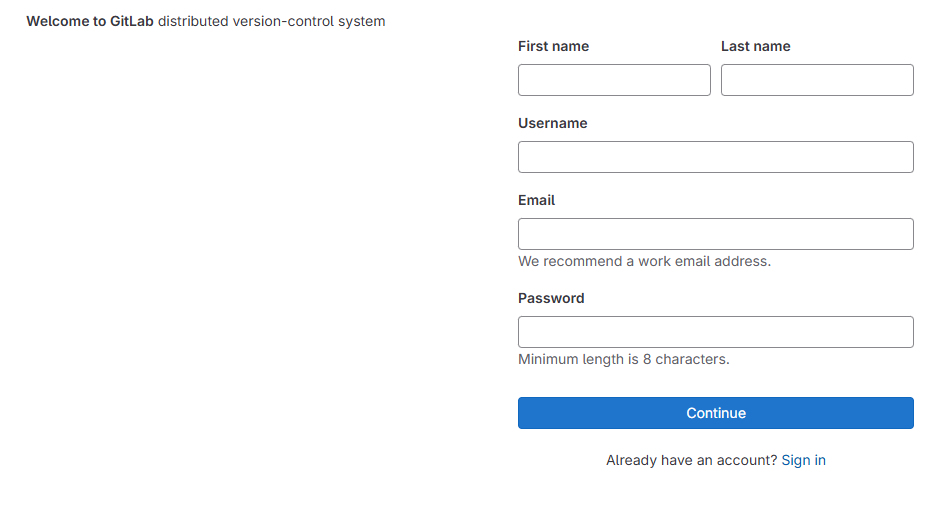
With a fresh account, I had no access to active repositories. But older repositories — abandoned ones, presumably from teams long since dissolved — were visible. It’s worth examining the landscape here: these repositories are dead code walking. I downloaded the ones that looked interesting. Most were mundane: Terraform configurations, telemetry code. But .gitignore didn’t include .env, and a check of the commit history shed light on something critical:
commit 66a88ac7c1c3c427dd4628fee4e196cc1a21bbd7 (HEAD -> master)
Author: jaya <REDACTED@dso.redacted.com>
Date:   Wed March 2 17:10:48 2022 +0530

    update
The Terraform files included infrastructure context that was still partially live:
region = "us-east-1"
environment = "dev"

tags = {
  Name          = "REDACTED-RBAC-LAMBDA"
  Environment   = "US-EAST-DEV-US-BRE-REDACTED"
  ApplicationID = "[REDACTED]"
  Market        = "US"
  Owner         = "BRE_AOT_AWS_REDACTED@redacted.com"
}
And then, in commit f9b15c2035487d45d1c901aba2a20378c63eed33, someone had removed the .env file. Git remembers everything. The deleted file contained a JFrog token, several API keys, and credentials that were still valid. That’s the tell — not the credentials themselves, but the fact that removing them from a file doesn’t remove them from history. That’s a groundbreaking failure of understanding of how version control works, and it’s remarkably common.
Wrap-Up
I reported the chain — deprecated Zendesk placeholder injection, GitLab public registration, leaked credentials in git history — and was compensated for the findings. The full path from zero access to live internal credentials ran through a subdomain nobody remembered existed.
What I keep coming back to is this: it’s not that the perimeter was breached — it’s that the perimeter wasn’t where they thought it was. The north star of enterprise security isn’t “is the main application secure?” It’s “do we know what all of our surface area even is?” For large organizations, navigating that question is a transformative undertaking. Most don’t do it. And this is where the exposure quietly compounds.